

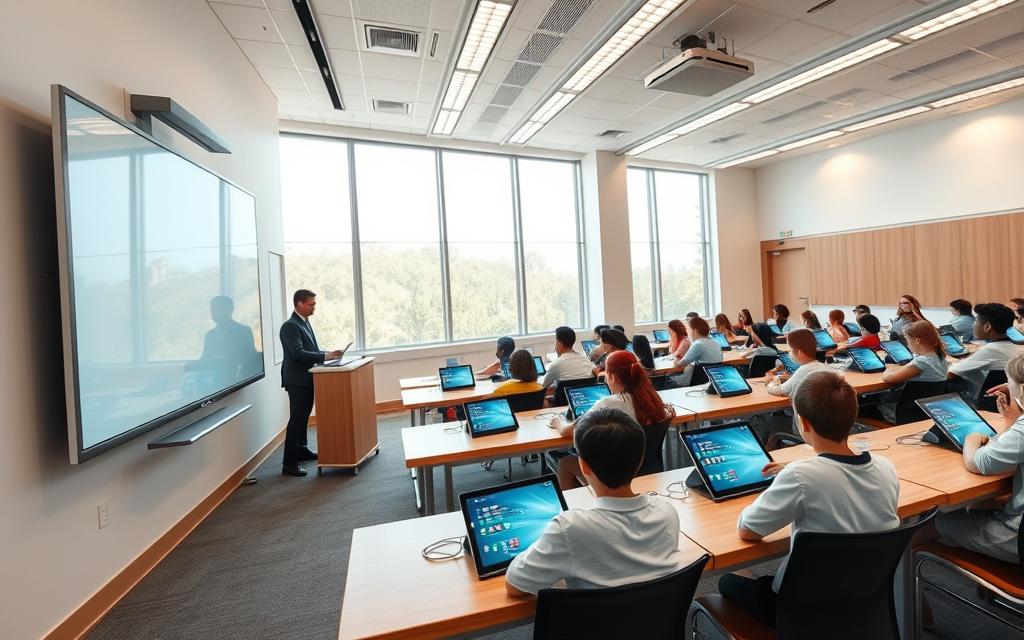
Modern education has changed a lot thanks to classroom technology. Now, we have interactive whiteboards, learning platforms, and digital resources. These tools make learning fun and interactive.
Drexel University School of Education says these educational tools offer real experiences and different learning paths. They help teachers meet the needs of all students. This makes learning more engaging for everyone.
Digital learning tools are changing American classrooms. From tablets to software, they make learning better. They help students grow and learn important skills.
Today’s classrooms use technology to make learning easier and more fun. These tools have changed how we teach and learn. They keep getting better, opening up new ways to excel in education.
The Digital Transformation of American Education
American education has seen a big change with technology. This change has changed how students learn, teachers teach, and schools are run in the United States.
Historical Context of Technology Integration in US Schools
In the 1980s, technology first came to American classrooms in computer labs. These labs were the start of teaching basic computer skills, but they were not part of the main lessons.
In the 1990s and early 2000s, the internet and multimedia became more common in schools. Interactive whiteboards replaced old chalkboards, and educational software got better.
Then, mobile technology like tablets and laptops became key tools for learning. This big change made classrooms different.
Current State of Educational Technology Adoption
Now, technology is used a lot in schools of all levels in the US. Schools have moved from just basic computer skills to using technology for learning in many ways.
Related Posts:
- What Is Canvas Technology The Learning Management…
- How Technology Is Used in Entertainment From CGI to…

- What Is Industry 4.0 Technology The Fourth…

- What Is Chain Block Technology The Mechanism of…

- What Is Apex Technology A Look at the IT Services Company

- Companies Developing Blockchain Technology Leaders…

The EdTech market grew to $142.37 billion in 2023. This shows a lot of money is being spent on educational technology. It shows how important technology is in schools today.
Dean Dan Schwartz of Stanford GSE says technology is changing education. It helps make learning more personal and available to more people.
Technology serves as a game-changer in education, enabling personalised learning paths and expanding educational access beyond traditional boundaries.
Today, schools use one-to-one device programs, cloud-based learning, and tools that use data. These help with both in-person and online learning.
Future Trends and Projections
The EdTech market is expected to grow even more, at 13.4% CAGR by 2030. This shows that technology in education will keep getting better.
New trends include using augmented and virtual reality in learning. These technologies make learning more fun and real, beyond just classrooms.
Artificial intelligence will make learning even more personal. It will adjust lessons based on how well students are doing, making learning fit each student’s needs.
The future looks like technology will be a part of learning without being noticed. This shows that American education is fully embracing technology.
How is Technology Used in Schools Today: A Complete Overview
Today, schools use digital tools in three main areas. These tools help make learning more efficient and data-driven. They work together to improve teaching and learning.
Administrative and Operational Systems
School administration systems manage daily school tasks. Tools like PowerSchool handle online grades, attendance, and student records. This saves teachers a lot of time.
Software like Listserv helps share information easily. It keeps teachers, parents, and administrators updated on school news. This is a big step forward in school management.
Teaching and Learning Applications
Innovative learning applications change how we teach. Students can do homework online, making learning flexible. Digital resources are more engaging than old textbooks.
Learning Management Systems are key for teachers. They help organise lessons and keep students on track. These tools support different learning styles and paces.
Assessment and Data Management Tools
Modern assessment tools give insights into student progress. They track how students are doing and find areas where they need help. Teachers use this info to improve lessons.
Using assessment data with other technology in education systems helps see how well students are doing. This approach helps schools improve teaching and learning. It supports ongoing growth in education.
These systems show how technology in education makes schools better. The mix of tools shows the current use of technology in schools.
Learning Management Systems Revolutionising Education
Virtual classrooms powered by LMS solutions are changing education. These platforms have made teaching more organised. They let teachers share materials and track student progress easily.
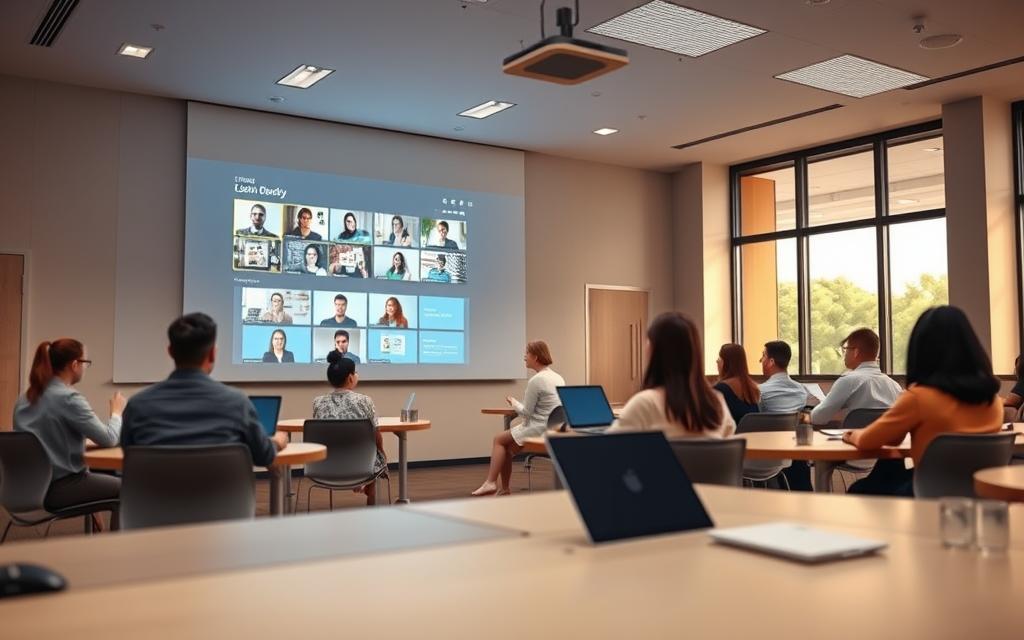
Cloud-based learning is a big step forward in education tech. LMS systems offer a central place for learning materials and tools. This makes schools more efficient and keeps students engaged.
Google Classroom: Cloud-Based Learning Environment
Google Classroom is a top example of cloud-based learning. It works well with Google Workspace apps. This makes it easy for teachers to manage assignments and for students to work together.
Teachers can create classes, share assignments, and talk to students easily. Students see what they need to do and when. Parents can also see how their kids are doing in school.
Key advantages include:
- Real-time collaboration on documents and projects
- Automatic saving to Google Drive for secure storage
- Mobile accessibility across various devices
- Integrated communication tools for announcements and feedback
Google Classroom lets students learn from anywhere. This helps both in-person and online learning.
Canvas by Instructure: Comprehensive Academic Platform
Canvas is a detailed platform for schools. It has lots of features and can be customised. This makes it good for different teaching styles.
Canvas supports many types of content, like videos and quizzes. Teachers like its grading system, which makes checking work easier. It also gives detailed reports on how students are doing.
Notable features include:
- Customisable course layouts and navigation
- Advanced quiz and testing capabilities
- Integrated calendar and scheduling tools
- Comprehensive mobile application with full functionality
Canvas can work with many other tools. This makes it flexible and easy to use for everyone.
Schoology Enterprise: Social Learning Management System
Schoology Enterprise has a social media-like design. It makes learning more interactive. This helps students who are used to social media.
The system encourages discussions and teamwork. Teachers can create spaces for students to share ideas and learn from each other.
Schoology has strong tools for managing schools. It has features for grading and tracking progress. This is great for schools that focus on skills over grades.
This system combines learning with fun interactions. It creates lively online classrooms that students enjoy.
Interactive Display Technologies Enhancing Engagement
Modern classrooms now use interactive display technologies. These tools turn traditional teaching spaces into lively learning areas. They help students learn in different ways through visual and hands-on experiences.
Technology is great for students who learn by hearing or seeing. Teachers use tools like PowerPoint with videos to teach. But interactive displays take it even further.
Smart Board MX Series: Interactive Whiteboard Solutions
The Smart Board MX Series is a big step forward in interactive whiteboards. These displays are big and respond to touch, whether by finger or pen.
They have:
- Ultra-high definition 4K resolution for clear content
- Multi-user functionality for up to four touch points at once
- Built-in speakers and microphone array for better audio
- Wireless screen sharing from devices
Teachers love how easy it is to use with existing software. It turns lessons into interactive experiences that get students involved.
Promethean ActivPanel Elements Series: Collaborative Displays
Promethean’s ActivPanel Elements Series is all about teamwork in the classroom. It has an easy-to-use interface made for schools.
Its key features are:
- A customisable toolbar for quick access to tools
- Screen recording for lesson archives
- Split-screen for comparing content
- Cloud connectivity for easy lesson access
This solution encourages teamwork by letting students work together on the display. It helps them develop skills in teamwork and communication.
ClearTouch Impact Series: Multi-Touch Interactive Panels
The ClearTouch Impact Series is known for its multi-touch feature. It supports up to twenty touch points at once. It’s perfect for group projects and whole-class activities.
Its main benefits are:
- An anti-glare glass surface for clear visibility in bright classrooms
- A built-in Android operating system with educational apps
- Durable construction for daily use
- Easy calibration for accuracy
Teachers say the ClearTouch interactive whiteboard is great for maths and science. It lets students work together on virtual objects, making learning more engaging.
These interactive display technologies are a big step forward in classroom tools. They go beyond simple presentation tools. They become the heart of interactive, engaging education that meets different learning needs and encourages active participation.
Student Response Systems for Active Learning
Modern classrooms now use student response systems to make learning more interactive. These tools help teachers see how well students understand the material. They keep students involved in lessons.

Studies show that active learning boosts retention and thinking skills. These tools make sure every student has a chance to share, no matter their learning style or confidence.
Kahoot! EDU: Gamified Learning Platform
Kahoot! EDU changes classroom tests into fun games. Teachers can make their own quizzes or pick from millions of games on all subjects.
It lets all students join in with anonymous names, helping shy ones feel more comfortable. Teachers get instant feedback on how students are doing. This helps them focus on areas that need more work.
Key features include:
- Multiplayer quiz competitions with real-time scoring
- Extensive template library for quick lesson creation
- Detailed analytics on individual and class performance
- Cross-platform compatibility with any internet-enabled device
Nearpod Silver Tier: Interactive Lesson Delivery System
Nearpod Silver Tier offers a full platform for interactive lessons and assessments. Teachers can add quizzes, polls, and group activities to their lessons.
It syncs content on all devices, so everyone learns together. Teachers can control the pace and see how students are doing in real-time.
Notable capabilities:
- Interactive slides with embedded questions and activities
- Virtual reality field trips for immersive learning experiences
- Student-paced mode for differentiated instruction
- Comprehensive reporting dashboard for progress tracking
Poll Everywhere for Education: Real-Time Audience Response
Poll Everywhere is great for getting quick feedback with live polls and word clouds. It helps students join in discussions at the same time.
Teachers can set up different question types, like multiple choice and open response. They see answers right away, so they can fix any mistakes and adjust the lesson.
The platform works well with other software, making it easy for teachers to use, no matter their tech skills.
Digital Curriculum and Content Resources
Today’s classrooms have vast digital content libraries, going beyond old textbooks. These online resources include videos, interactive exercises, and detailed lesson plans. This shift to digital learning makes lessons more engaging and tailored to each student’s needs.
Khan Academy: Personalised Learning Resource Library
Khan Academy has a vast collection of free educational materials for many subjects. It focuses on personalised learning with adaptive exercises and videos. Students learn at their own pace, and teachers get insights into how each student learns.
The platform’s dashboard tracks student progress in maths, science, and humanities. This ensures each student gets the right support. It’s a great tool for both classroom and independent study.
Discovery Education Experience: Multimedia Content Platform
Discovery Education Experience brings real-world learning into the classroom. It offers high-quality videos, virtual field trips, and interactive activities. These resources help teachers create engaging lessons that link academic concepts to real-life situations.
The service updates its content regularly in STEM, social studies, and literacy. Teachers can find ready-to-use lesson plans and professional development resources. This supports different teaching methods and keeps students interested through visual and interactive learning.
BrainPOP Educators: Animated Educational Content Suite
BrainPOP Educators uses animated content to make complex topics easy for young learners. It uses engaging characters and stories to explain tough subjects. This makes learning fun and memorable.
The service includes lesson plans, assessment tools, and creative activities. Teachers can track student progress and adjust lessons for each student’s level. Its fun approach is great for primary and middle school students.
| Platform | Primary Focus | Key Features | Ideal For |
|---|---|---|---|
| Khan Academy | Personalised practice | Adaptive exercises, progress tracking | Individualised learning paths |
| Discovery Education | Multimedia immersion | Virtual field trips, real-world content | Engaging visual learners |
| BrainPOP Educators | Concept simplification | Animated explanations, creative tools | Younger student audiences |
Adaptive Learning Platforms Personalising Education
Educational technology has evolved with adaptive learning systems. These systems tailor lessons to each student’s needs. They use advanced algorithms to create learning paths that fit each learner perfectly.
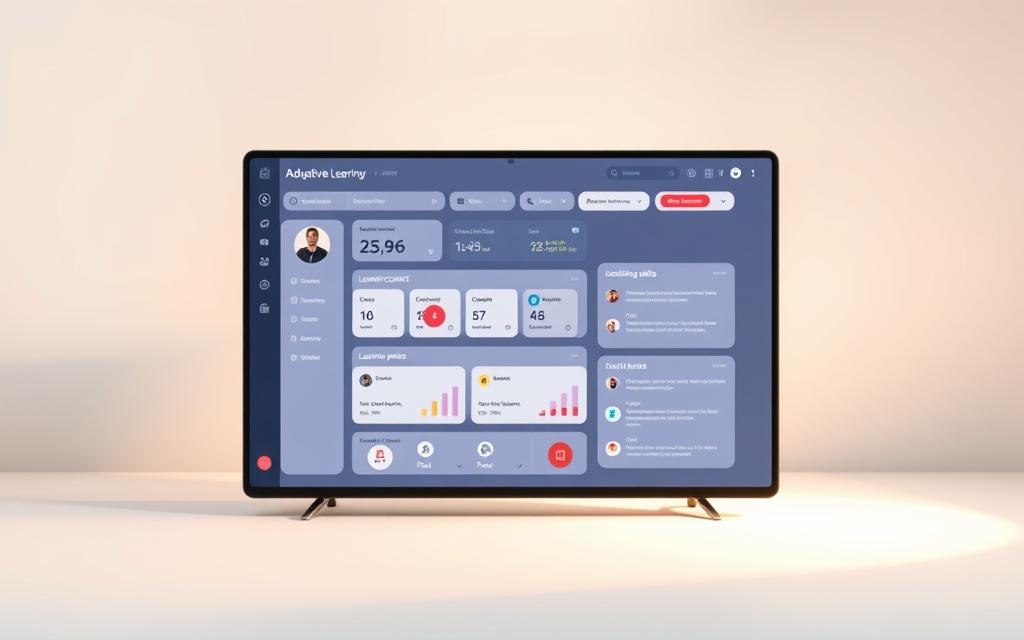
These systems are different from old methods that treat everyone the same. They watch how students do to change the difficulty and style of lessons. This keeps students interested and not too stressed.
DreamBox Learning Maths: Intelligent Adaptive Learning
DreamBox Learning Maths leads in maths adaptive learning. It’s a smart platform that changes based on how students interact with it. It looks at how students solve problems, not just if they’re right or wrong.
This lets DreamBox find out what students don’t get. Then, it gives them lessons and exercises that fit their needs. Teachers get reports on how each student is doing and where they need help.
IXL: Skills-Based Practice System
IXL offers a wide range of practice in maths, language, science, and social studies. Its technology finds out how good students are at different skills and concepts.
IXL’s personalised education gives feedback right away and explains wrong answers. It plans lessons that build on what students already know. This lets students learn at their own pace. They and their teachers can see how they’re doing over time.
ALEKS Corporation: Artificial Intelligence Assessment Platform
ALEKS Corporation uses AI to test maths knowledge. It first finds out what a student knows and doesn’t know in a whole course.
This AI in education then makes a learning plan just for that student. ALEKS checks students often to make sure they remember what they’ve learned. It changes the plan if needed. Teachers get detailed reports to help them teach better.
These adaptive platforms show how tech can make learning personal. They are big steps forward in personalised education. They help meet the needs of all students in today’s classrooms.
STEM and Coding Education Technologies
As schools get ready for a digital future, STEM education is key. These technologies help students learn problem-solving and coding early on. They make learning fun and engaging.
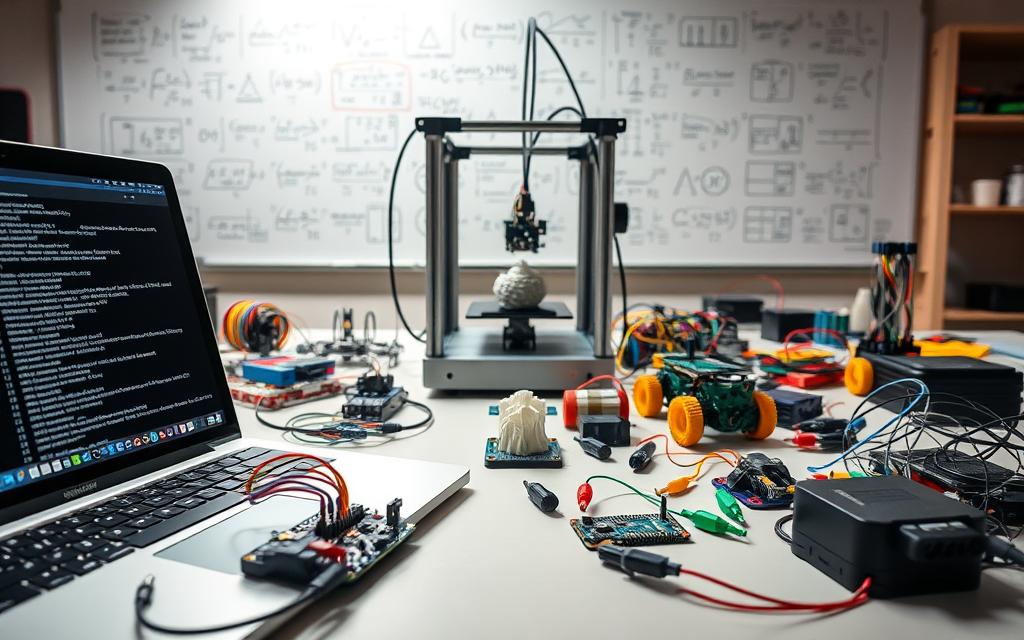
Schools use programming tools to make learning easy and fun. These tools turn complex ideas into real learning experiences. They help students feel confident in their tech skills.
Scratch Programming Language: Visual Coding Environment
MIT created Scratch for coding for kids. It uses blocks to teach programming. Students make animations, games, and stories by connecting blocks.
Scratch is great for creativity and teamwork. Students can share and remix projects. It’s perfect for kids aged 8-16 before they learn text-based coding.
Tynker School Edition: Game-Based Coding Curriculum
Tynker makes learning fun with games. It teaches coding through puzzles and games. Students learn to code in Python and JavaScript.
The school edition has lots of resources for teachers. It includes lesson plans, assessment tools, and progress tracking. This helps students learn solid coding skills while staying engaged.
LittleBits Education: Hands-On Electronics Learning Kits
LittleBits makes electronics fun with magnetic parts. Students build circuits with colour-coded bits. It makes learning electronics hands-on and fun.
Students learn about circuit design, sensors, and robotics. They get to create and experiment. This approach makes technology accessible and encourages creativity.
These STEM education tools are at the forefront of classroom tech. They give students practical skills for the future. They make learning fun and help grow the next generation of innovators.
Collaboration and Communication Tools
Modern education is all about teamwork and interaction. Digital tools are key to creating lively learning spaces. They let students and teachers talk in real-time.
These tools mimic the workplace, getting students ready for their future jobs. They support both live and recorded learning. This suits all kinds of learners and schedules.

Microsoft Teams for Education: Integrated Collaboration Suite
Microsoft Teams is a top choice for schools. It’s a complete package with chat, video calls, and file sharing. Teachers can set up special channels for each class or project.
It makes sharing assignments and grading easy. Students can work together on documents live with Office 365. Plus, it keeps student data safe.
Teachers love the calendar and scheduling tools. It works well on all devices, making learning mobile. Microsoft Teams helps create digital classrooms that boost teamwork.
Zoom for Education: Virtual Classroom Platform
Zoom is known for top-notch virtual classrooms. It has great video and audio for online learning. Teachers can teach big classes without any connection issues.
It has cool features like raising hands and polls. Breakout rooms are great for small group talks. Zoom also lets you share screens and whiteboards.
It records lessons so students can watch them again. The waiting room and host controls keep the classroom safe. Zoom also helps everyone participate, no matter their needs.
Flipgrid Microsoft: Video Discussion Learning Community
Flipgrid is all about video discussions in class. It lets students share their thoughts in short videos. Teachers ask questions, and students answer with their videos.
This way, students who are shy can speak up. It creates a lively learning space through video. Teachers can give feedback on videos, making learning personal.
Flipgrid works with Microsoft Teams and other tools. It encourages creativity and helps students get better at digital communication. It makes learning feel like a social media experience, but safe.
Assessment and Data Analytics Systems
Modern education uses advanced systems for assessment and data analytics. These tools turn raw data into useful insights. They help teachers track student progress, find learning gaps, and tailor lessons precisely.
Tools like Socrative have changed classroom quizzes. They offer real-time quizzes with instant results. This lets teachers adjust lessons quickly and helps students know how they’re doing.
NWEA MAP Growth: Computer-Adaptive Assessment System
The NWEA MAP Growth is a top computer-adaptive test. It checks student progress in many subjects. It changes the test’s difficulty based on how students answer, making it personal.
This method gives accurate growth measurements. It shows what students know now and what they might learn next. The system’s detailed reports help plan better lessons and improve the curriculum.
Illuminate Education: A Data Analytics Platform
Illuminate Education has a big data analytics platform. It combines data from many places. This gives teachers a full view of how students are doing through easy-to-use dashboards and reports.
Its strength is in linking test scores, attendance, and behaviour. This helps find patterns and trends. It supports smart decisions at all levels.
MasteryConnect: Standards-Based Assessment Tools
MasteryConnect focuses on standards-based tests. It helps teachers see if students have mastered certain skills. The tools match tests with state and common core standards, making sure lessons are relevant.
Teachers can make their own tests, use shared questions, and see how students do against standards. This approach helps focus on what students need to improve, not just give grades.
These systems do more than just test students. They give the data needed for planning and getting better. By using these tools, schools can make learning more effective and tailored to each student’s needs.
Accessibility and Inclusive Technology Solutions
Educational technology has changed how schools help different learners. Now, every student can get to curriculum materials, no matter their needs. These accessibility tools make learning fair for all, including those who speak different languages or have disabilities.
Read&Write for Education: Literacy Support Software
Read&Write for Education is a toolbar that helps with reading, writing, and studying. It’s a key assistive technology for students with dyslexia, visual issues, and other learning challenges. It lets them use digital content more easily on their own.
The software has tools like text-to-speech, vocabulary help, and study aids. These make hard texts easier to understand. They help students learn at their own pace and improve their reading skills.
Kurzweil 3000: Comprehensive Reading Support System
Kurzweil 3000 is a strong literacy support for students who struggle with reading or have dyslexia. It changes reading materials into formats that fit each student’s needs. This includes text-to-speech, vocabulary tools, and study aids.
These features help students understand complex texts. Kurzweil 3000 is a key tool for inclusive education in schools.
Dragon NaturallySpeaking: Speech Recognition Technology
Dragon NaturallySpeaking lets students write by speaking. It’s great for those with mobility or writing problems. This tech helps students with physical disabilities do their schoolwork.
The software turns speech into text. This lets students do homework, take notes, and join in written activities. It shows how accessibility tools can help all learners succeed.
Implementation Challenges and Strategic Considerations
Educational technology has great promise, but its successful use is not easy. Schools face many challenges, from unequal access to security worries. They need careful planning to make the most of technology.
Addressing Digital Equity and Access Disparities
The digital divide is a big problem for American schools. Many students don’t have internet or devices at home. This leads to gaps in learning.
Schools need to create detailed plans for digital equity. This includes:
- Device lending programmes for students in need
- Partnerships with community organisations for internet access
- Offline functionality for digital learning platforms
Investing in the right infrastructure is key. It ensures all students can join in digital learning.
Professional Development for Technology Integration
Teachers need constant training to use technology well. Many feel they don’t know how to use new tools in class.
Good professional development should include:
| Development Type | Time Commitment | Expected Outcomes |
|---|---|---|
| Initial Training Sessions | 10-15 hours | Basic tool proficiency |
| Ongoing Coaching | Monthly sessions | Advanced integration skills |
| Peer Learning Communities | Weekly meetings | Collaborative problem-solving |
Schools should focus on ongoing learning, not just one-time events.
Data Privacy and Security Best Practices
Keeping student data safe is a big responsibility for schools. Data privacy in schools needs strong policies and technical measures.
Important security steps include:
- Regular security audits of all educational platforms
- Clear data handling policies for teachers and staff
- Student education about digital citizenship and privacy
Strong data privacy in schools builds trust and follows important laws like FERPA and COPPA.
Conclusion
The path forward for American education is clear. Using modern classroom tools effectively boosts traditional teaching. This mix creates lively learning spaces where students do well.
These digital tools, like Google Classroom and interactive displays, make learning personal. They help students succeed in today’s digital world.
For education’s future, we need to use these technologies wisely. Schools must ensure everyone has access and train teachers well. When used right, technology helps a lot in education.
Technology gives students the skills they need for the future. It changes how we teach and learn. The shift to digital classrooms makes education more engaging and effective for everyone.
FAQ
What are the most widely used learning management systems in American schools?
In American schools, Google Classroom is a top choice. It works well with Google Workspace. Canvas by Instructure is also popular for its wide range of academic tools. Readers exploring used schools today often end up considering applied science link between as part of the same topic. Schoology Enterprise is known for its social media-like interface, making it great for teamwork and community building.
How do interactive displays like Smart Boards and Promethean ActivPanels benefit classroom learning?
Interactive displays like the Smart Board MX Series and Promethean ActivPanel Elements Series change the classroom. They allow for hands-on learning, teamwork, and multimedia presentations. Looking at used schools today alongside apple pay work behind gives a clearer view of the wider topic. These tools help meet different learning needs, making classes more engaging for students.
What role do adaptive learning platforms play in personalised education?
Adaptive learning platforms, like DreamBox Learning Maths and IXL, use smart technology. They adjust content and difficulty levels based on how well a student is doing. This personal approach helps students learn at their own pace and meet their specific needs.
How can schools ensure digital equity when implementing technology?
Schools must give all students the tools they need, like devices and internet. They should also use technology that everyone can use, like Read&Write for Education. Teachers need training, and data privacy must be a top priority to ensure a fair learning environment for all.
What are some effective tools for real-time student assessment and engagement?
Tools like Kahoot! EDU and Nearpod Silver Tier are great for checking in with students. They offer quizzes, polls, and quick feedback. This helps keep students involved and lets teachers see how well they understand the material right away.
How do collaboration tools like Microsoft Teams and Zoom support modern education?
Microsoft Teams and Zoom make it easy to communicate and work together. They help with sharing files, having virtual meetings, and managing assignments. These tools are key for creating connected learning spaces, whether students are in the classroom or learning from home.
What measures should schools take to protect student data privacy?
A> Schools need to follow strict data privacy rules. They should use secure platforms like Illuminate Education and teach students about digital safety. It’s also important to follow laws like FERPA and to have clear policies and regular checks to keep student data safe.