
Modern commerce has adopted a new way to handle transactions. This method is secure and easy to use.
This payment method uses contactless payments technology. It makes buying things easy in stores, apps, and online.
The core of this system is NFC payments. It makes transactions fast and safe. Your device’s hardware and software keep your info safe.
This platform is known for its top-notch Apple Pay security. It keeps your financial details safe and private.
This technology is a big step forward in shopping. It offers ease and strong security for today’s shoppers.
The Fundamentals of Contactless Payment Systems
Payment technology has evolved to include tap payments that are both convenient and secure. These systems change how we pay, making transactions faster and safer from fraud.
Understanding Contactless Payment Technology
Contactless payments use near field communication (NFC) for secure data exchange. When you tap your card or device on a terminal, NFC technology connects them.
This tech works over short distances, keeping transactions safe. It’s also contactless, making it clean and quick for daily use.
Related Posts:






Historical Development from Magnetic Stripe to NFC
The move from magnetic stripe cards to NFC is a long journey of innovation:
- 2004: First contactless credit cards were introduced in the United States
- 2014: Apple Pay was announced, changing mobile payments
- 2017: North America adopted EMV technology, making merchants liable for fraud
- 2020: Contactless payments grew a lot during the global health crisis
This shows how security needs and customer wants pushed for new tech. The move to EMV was a big step in making payments safer.
Global Standardisation and Adoption Patterns
Global standardisation has helped contactless systems spread widely. Groups like EMVCo set global rules for payment systems to work together.
Adoption rates differ around the world:
- Europe and Australia were early adopters with good infrastructure
- The United States sped up adoption after the 2017 EMV shift
- Asian markets quickly took to mobile tap payments over card-based ones
The COVID-19 pandemic in 2020 made contactless payments even more popular. People wanted to avoid touching surfaces, showing how safe and reliable these systems are.
How Does Apple Pay Work Technology: Core Architecture
Apple Pay’s system is built on three key technologies. They work together to make payments easy and safe. These parts are essential for every transaction, keeping your money safe while you shop.
Near Field Communication (NFC) Fundamentals
Near Field Communication connects your Apple device to payment machines. It works over short distances, needing you to be very close to start a transaction.
NFC lets your device send and receive data. This means you can pay and get confirmation without sharing your details with others. Its short range adds an extra layer of security.
Secure Element Hardware Implementation
Apple devices have a special secure chip called the Secure Element. It’s a separate part of the device, designed to keep your payment info safe.
This chip keeps your payment details safe, even if your device is hacked. All important operations happen here, protecting your financial information from harm.
Tokenisation Technology Explained
Tokenisation is Apple Pay’s top security feature. It replaces your real card numbers with digital tokens. When you add a card, Apple Pay creates a unique device account number for you.
A token service works with your bank to make these tokens. It links your real card to your device account number for each transaction.
Every time you pay, a new security code is used. This makes it hard for thieves to use your payment info for fraud.
| Technology Component | Primary Function | Security Benefit |
|---|---|---|
| NFC Communication | Short-range data transfer | Physical proximity requirement |
| Secure Element Chip | Isolated data storage | Hardware-level protection |
| Tokenisation Service | Data substitution | Eliminates card number exposure |
These technologies work together to make Apple Pay very secure. They ensure your payments are safe and easy to make.
Device Setup and Configuration Processes
To use Apple Pay, you need to know how it works with your devices. Setting it up is the first step to making secure payments with your Apple devices.
Compatibility Across Apple Device Ecosystem
Apple Pay works well on many Apple devices. It’s available on recent iPhones, Apple Watches, iPads, and Macs with Touch ID or Apple Pay.
Each device has its own role. iPhones help you set it up. Apple Watches let you pay without your phone. iPads are great for in-app purchases, and Macs support online payments.
Adding and Verifying Payment Methods
To add a credit card, open the Wallet app. You can type in the details or use the camera to scan your card.
Once you’ve entered your card info, it gets encrypted and sent to Apple’s servers. Your bank then checks the card and lets Apple Pay use it.
After verification, a special Device Account Number is created. This number is used instead of your real card details, making payments safer.
Initial Security Configuration and Settings
Security is key for Apple Pay. You need to set a passcode on your device before you can use Apple Pay. This keeps your financial info safe.
There are more security steps too. Face ID or Touch ID adds an extra layer of protection. Only the device owner can make payments. Setting it up takes just a few minutes but offers strong protection for all your transactions.
| Device Type | Minimum Requirements | Setup Time | Authentication Methods |
|---|---|---|---|
| iPhone | iOS 11.0 or later | 3-5 minutes | Face ID, Touch ID, Passcode |
| Apple Watch | watchOS 4.0 or later | 2-4 minutes | Passcode, Wrist Detection |
| iPad | iPadOS 13.0 or later | 3-5 minutes | Touch ID, Passcode |
| Mac | macOS Sierra or later | 4-6 minutes | Touch ID, iPhone Authentication |
Setting up your iPhone correctly turns on all the security features. The system helps you through each step. This makes it easy, even if you’re new to contactless payments. Following these steps ensures your Apple Pay use is both convenient and secure.
The Transaction Execution Process
Apple Pay’s technology comes together at the payment moment. It uses user actions, wireless tech, and security to make buying fast and safe.
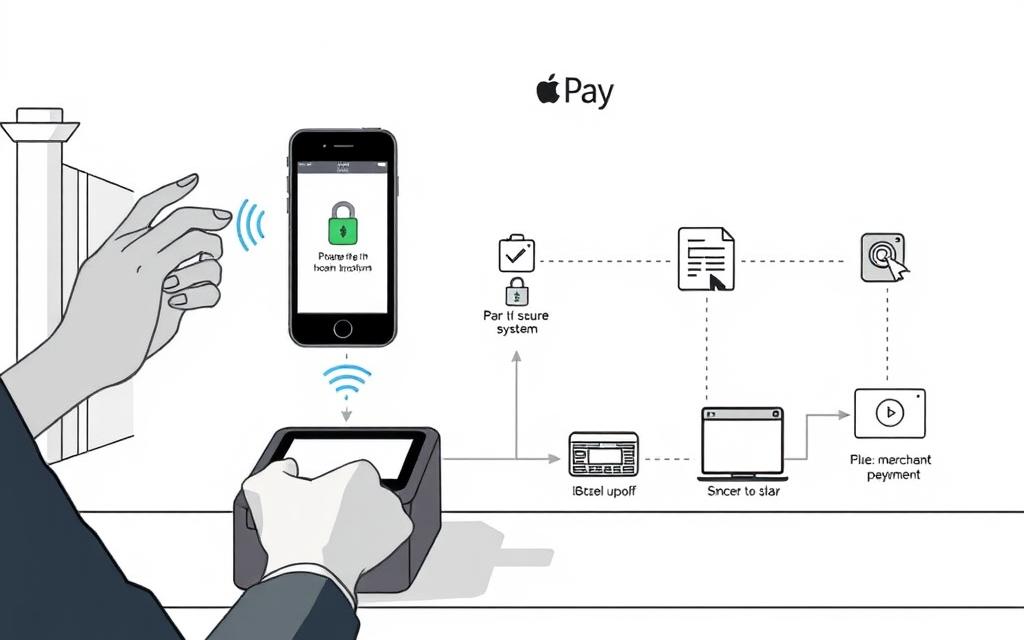
Step-by-Step Payment Initiation
To start an Apple Pay transaction, just double-click the side button on newer iPhones. This action turns on the payment system while keeping it secure.
Your default card shows up on screen, ready for you to confirm. The system stays ready until you’ve checked everything, stopping accidental buys.
NFC Communication Protocol Details
After confirming, hold your device near the payment terminal. The Near Field Communication protocol kicks in when you’re about 4 centimetres away.
This close range stops data from being sent by mistake. The NFC chip makes a secure field for exchanging encrypted data with the terminal.
Data is sent through specific bands (13.56 MHz) following ISO/IEC 18092 standards. The whole process takes 300-400 milliseconds.
Biometric Authentication Systems
Apple Pay uses biometric security to make sure only you can make payments. It replaces old PINs with your unique biometric data.
Touch ID Implementation
Older iPhones and some iPads use Touch ID. It captures your fingerprint at 500 pixels per inch.
Advanced algorithms check your fingerprint’s details. It needs a live finger to stop fake attempts.
Face ID Technology Integration
New devices use Face ID’s facial recognition. It maps your face with over 30,000 invisible dots.
A neural engine checks this map in real-time. It makes sure you’re aware and okay with the payment.
| Authentication Method | Security Features | Transaction Speed | Device Compatibility |
|---|---|---|---|
| Touch ID | Live finger detection, 1 in 50,000 false match rate | Under 1 second | iPhone 5S through 8, iPad with Home button |
| Face ID | Attention awareness, 1 in 1,000,000 false match rate | 1-2 seconds | iPhone X and newer, iPad Pro 11-inch and newer |
| Passcode | Six-digit fallback option | 2-3 seconds | All supported devices |
Both biometric systems work with the Secure Element. They send your Device Account Number and dynamic security code to the terminal. This makes the payment safe while keeping your card details hidden.
Security Framework and Encryption
Apple Pay’s security is top-notch, thanks to a multi-layered approach. It protects every transaction from all sides. This system uses both hardware security and advanced cryptography, making it one of the safest payment methods today.
End-to-End Encryption Methodology
Apple Pay uses strong end-to-end encryption to keep your payment info safe. This encryption starts when you add your card to Wallet and lasts until the transaction is done.
It uses many encryption layers. Your real card number never goes to the merchant or Apple’s servers. Instead, it’s turned into unreadable code that only the right people can read.
“Encryption is a powerful defence against data breaches and unauthorised access to sensitive information.”
Device Account Number Architecture
When you add a card to Apple Pay, it creates a unique Device Account Number. This number is stored safely in the Secure Element chip on your device.
This number is different from your real card number. It acts as a proxy, keeping your real account details safe. Even if a merchant’s systems are hacked, your real card info stays protected.
Dynamic Security Code Generation
For each payment, Apple Pay makes a new dynamic security code. This code is used to check the payment’s validity. It replaces the static code on physical cards.
The dynamic security code is made with complex algorithms. Your bank or card issuer checks the code to make sure the transaction is real. This stops anyone from using payment data for fraud.
Fraud Prevention Mechanisms
Apple Pay has many fraud prevention layers. These work together with banks to keep your payment info safe. It’s very hard for hackers to get or use your payment details.
Banks get the Device Account Number and dynamic security code instead of your real card number. They can quickly check if the transaction is real using their fraud prevention systems. Your personal info stays safe the whole time.
| Security Feature | Protection Provided | Implementation Level |
|---|---|---|
| End-to-End Encryption | Data confidentiality during transmission | Hardware and software |
| Device Account Number | Card number obfuscation | Secure Element chip |
| Dynamic Security Code | Transaction-specific authentication | Per-transaction generation |
| Biometric Verification | User authentication | Device-level implementation |
These security features together make a strong defence system. Apple’s focus on security means your payment info is protected at every step of the transaction.
Financial Institution Integration
Every Apple Pay transaction is backed by a network of financial partnerships. This network includes banks, card networks, and service providers. Together, they create a secure and efficient payment system.
Bank and Card Network Partnerships
Apple’s payment system thrives on partnerships with big banks. It works with Visa, Mastercard, and American Express. These partnerships help Apple Pay work worldwide.
Banks and card issuers have special agreements with Apple. These agreements let customers add cards to the Wallet app. This makes digital payments safe and easy.
Token Service Provider Infrastructure
Token Service Providers (TSPs) play a key role in Apple Pay. They create unique Device Account Numbers for transactions. These numbers replace real card details.
Adding a card to Apple Pay is encrypted. Apple decrypts your data and then re-encrypts it for your payment network. This keeps your info safe.
Your bank or its partner creates a Device Account Number for you. This token is your digital payment, keeping your real card number safe.
Transaction Processing and Settlement
Apple Pay transactions go through complex backend processes. When you buy something, your tokenised data is checked by your card issuer.
The settlement process is like traditional card payments but uses tokens. Merchants get paid through their banks. Customers’ banks transfer funds through networks.
This system keeps the familiar payment flows but adds tokenisation’s security. It’s as fast as regular card payments, making it efficient for everyone.
Cross-Platform Implementation
Apple Pay works across all Apple devices, making payments easy and secure. This means you can pay safely on any Apple device you’re using.
iPhone and Apple Watch Specifics
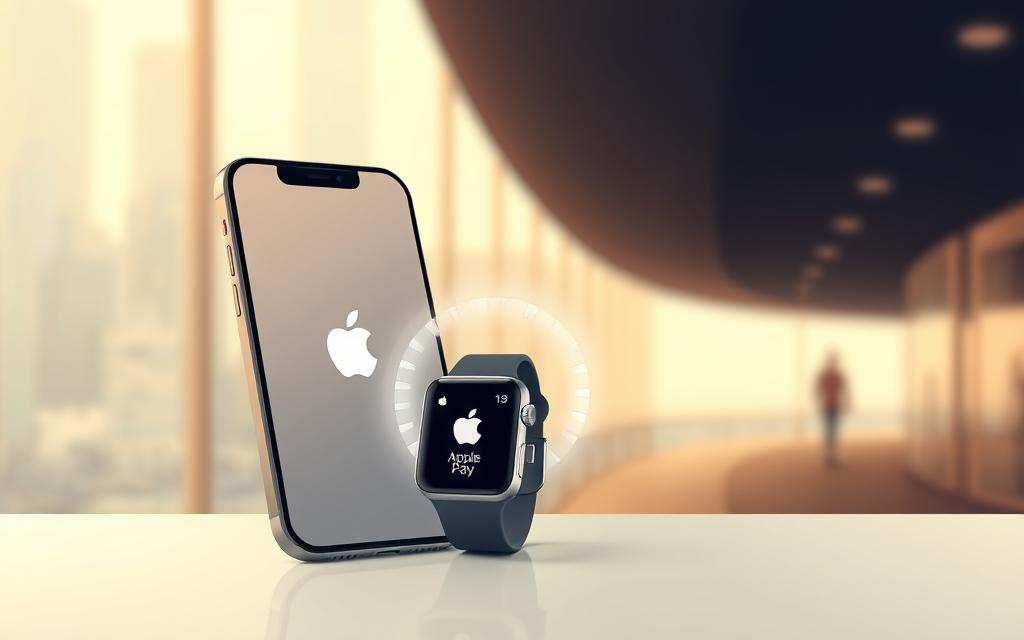
On iPhones, Apple Pay uses Face ID or Touch ID for security. Just double-click the side button and you’re done. Apple Watch payments work the same way, with a double-press of the side button.
This Apple Watch payment feature is great for quick buys during workouts. It’s secure and easy to use, even when your iPhone is not nearby.
Mac and iPad Variations
For Mac Safari payment, you might need to use an iPhone or Apple Watch for authorisation. This keeps your payments safe and easy.
iPad payments vary by model. Newer iPads can pay directly, but older ones might need a connected device. All iPad Apple Pay apps keep your payments secure.
Consistency in User Experience
Apple keeps the payment experience the same across all devices. Whether it’s an iPhone, Apple Watch, Mac, or iPad, it feels the same.
This consistency is true for security, transaction confirmations, and success messages. It builds trust in Apple Pay across all devices.
The smooth connection between devices shows Apple’s ecosystem strength. It makes digital payments easy and straightforward, no matter the device.
Merchant Adoption and Technical Requirements
Businesses thinking about using Apple Pay need to know the technical basics. This includes hardware needs, integrating with payment systems, and financial checks. These steps are key to making Apple Pay work well for your business.
NFC Terminal Specifications
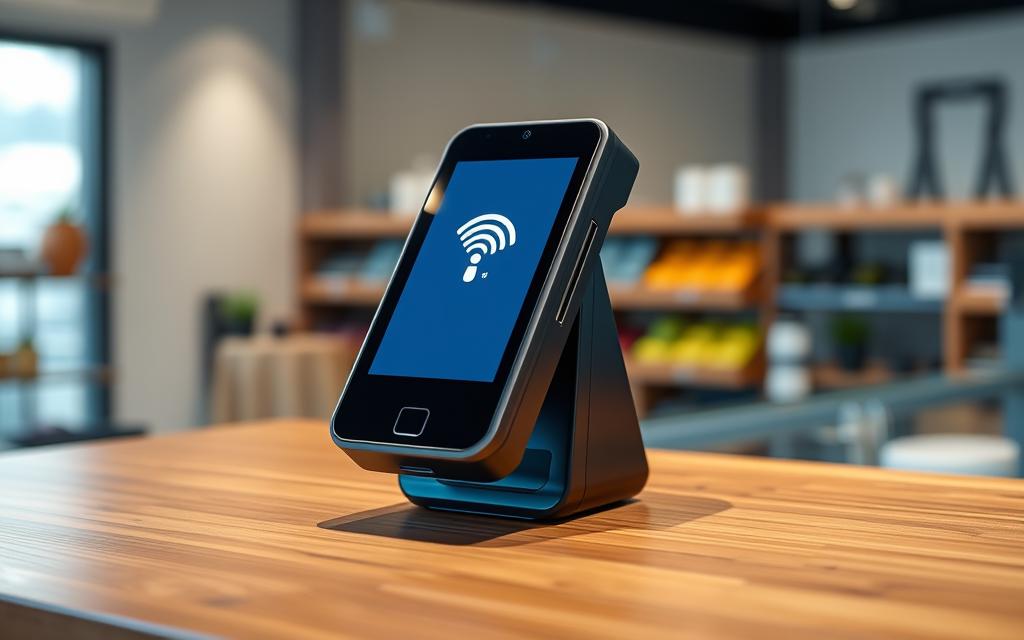
For Apple Pay, you need NFC-enabled payment terminals. These terminals show the universal contactless symbol. Most modern payment systems support this technology.
Many businesses already have NFC terminals. This is because they follow EMV standards. These terminals must be certified and show the contactless symbol to let customers know they can pay this way.
Payment Processor Integration
Adding Apple Pay to your system means working with payment processors and banks. Most big payment processors make it easy to add contactless payments, including Apple Pay. Here’s what you need to do:
- Check if your terminal works with your payment processor
- Make sure your software is up to date
- Set up your transactions for security
- Test everything before you start using it
Many processors have teams to help you set up Apple Pay. This makes the process easy for businesses of all sizes.
Cost Analysis and Business Model
Thinking about Apple Pay means looking at the costs. The main cost is buying NFC terminals. But, many businesses find the benefits last longer than the costs.
Apple Pay’s fees are similar to credit card rates. Some processors might even charge less for these secure payments. The benefits of using Apple Pay include:
| Cost Factor | Traditional Payments | Apple Pay Transactions | Business Impact |
|---|---|---|---|
| Transaction Speed | 15-30 seconds | 5-10 seconds | Increased customer throughput |
| Fraud Liability | Merchant responsibility | Reduced under EMV standards | Lower financial risk |
| Equipment Costs | Legacy systems | NFC-enabled terminals | Initial investment required |
| Customer Satisfaction | Standard experience | Enhanced convenience | Improved loyalty metrics |
EMV standards mean less fraud risk for merchants. Faster payments also help businesses run more smoothly, which is great for places that are always busy.
Conclusion
Apple Pay is a big step forward in how we pay for things. It uses Near Field Communication and strong security. This means your data is safe when you make a purchase.
This digital wallet doesn’t need your real card details. It uses biometric checks like Face ID or Touch ID. This makes Apple Pay safer than old ways of paying.
The world of payments is moving towards being contactless and mobile. Apple’s work shows what’s possible in terms of safety and ease. As more people use it, we’ll see even more improvements.
Apple Pay shows how tech can change our daily spending. It makes paying safer and easier. Soon, we might not need physical wallets anymore.
Looking to the future, payments will likely get even better. We might see new biometrics and encryption. Apple’s approach is a guide for these advancements.
FAQ
What is Apple Pay and how does it function as a contactless payment system?
Apple Pay is a safe way to pay with Apple devices like iPhone, Apple Watch, Mac, and iPad. It uses NFC for “tap to pay” and keeps your info safe with tokenisation and biometric checks.
How has contactless payment technology evolved over time?
Contactless payments have grown from magnetic stripe cards to NFC and EMV. Early 2000s saw the start of contactless cards. By 2020, NFC payments became more popular due to hygiene needs and global standardisation efforts.
What role does NFC play in Apple Pay transactions?
NFC lets Apple devices talk to payment terminals. It makes secure data exchange possible, enabling the “tap to pay” feature of Apple Pay.
How does Apple Pay protect my payment information?
Apple Pay uses a Secure Element chip, encryption, and tokenisation. It replaces your card number with a unique Device Account Number. Each transaction gets a dynamic security code, and biometric checks like Touch ID or Face ID confirm payments are yours. Anyone researching apple pay work may also want to understand canvas learning management system before deciding on the best option.
Which Apple devices support Apple Pay and how do I set it up?
Apple Pay works on iPhone, Apple Watch, Mac, and iPad. To start, open the Wallet app, tap the “+” icon, and scan your card or enter details manually. Your bank will check the card, and you need a passcode for security.
What steps are involved in making a payment with Apple Pay?
To pay, double-click the side button on your iPhone or use Touch ID. Then, hold your device near the payment terminal. NFC handles the communication, and biometric checks confirm your identity for a secure transaction.
How do banks and financial institutions integrate with Apple Pay?
Apple works with big banks and card networks like Visa, Mastercard, and American Express. Token Service Providers manage the tokenisation process. Transactions are authorised, processed, and settled between banks, ensuring security.
Can I use Apple Pay on all my Apple devices consistently?
Yes, Apple Pay works the same on all Apple devices. iPhones and Apple Watches make direct NFC payments. Macs need a nearby iPhone or Apple Watch for authentication. iPads use Apple Pay in apps. The experience is always secure and easy to use.
What do merchants need to accept Apple Pay?
Merchants need an NFC-enabled terminal with the universal contactless symbol. They must also work with payment processors. Adopting Apple Pay can cut fraud and speed up payments, benefiting businesses.
Is Apple Pay more secure than using a physical card?
Yes, Apple Pay is safer with tokenisation, encryption, and biometric checks. Your card number isn’t shared, and each transaction has a unique code, lowering fraud risk.
How does tokenisation work in Apple Pay?
Tokenisation swaps your card details for a unique Device Account Number. This number is stored securely and used for transactions, keeping your real card info safe.
What should I do if my Apple device is lost or stolen?
Use Find My iPhone to lock or erase your device, including payment info. Contact your bank to suspend Apple Pay transactions. Thanks to tokenisation, your card details stay safe.